Viewing submission details
Last updated:
As explained in the article Submission area - an overview, this section provides you with a summary of all submissions received for a form.
Once a form is filled out and submitted, the corresponding submission appears directly here.
If you wish to examine the details of a submission more closely, you can also view them individually. To do this, click on the submission in the overview of all submissions for which you would like to see the corresponding dataset
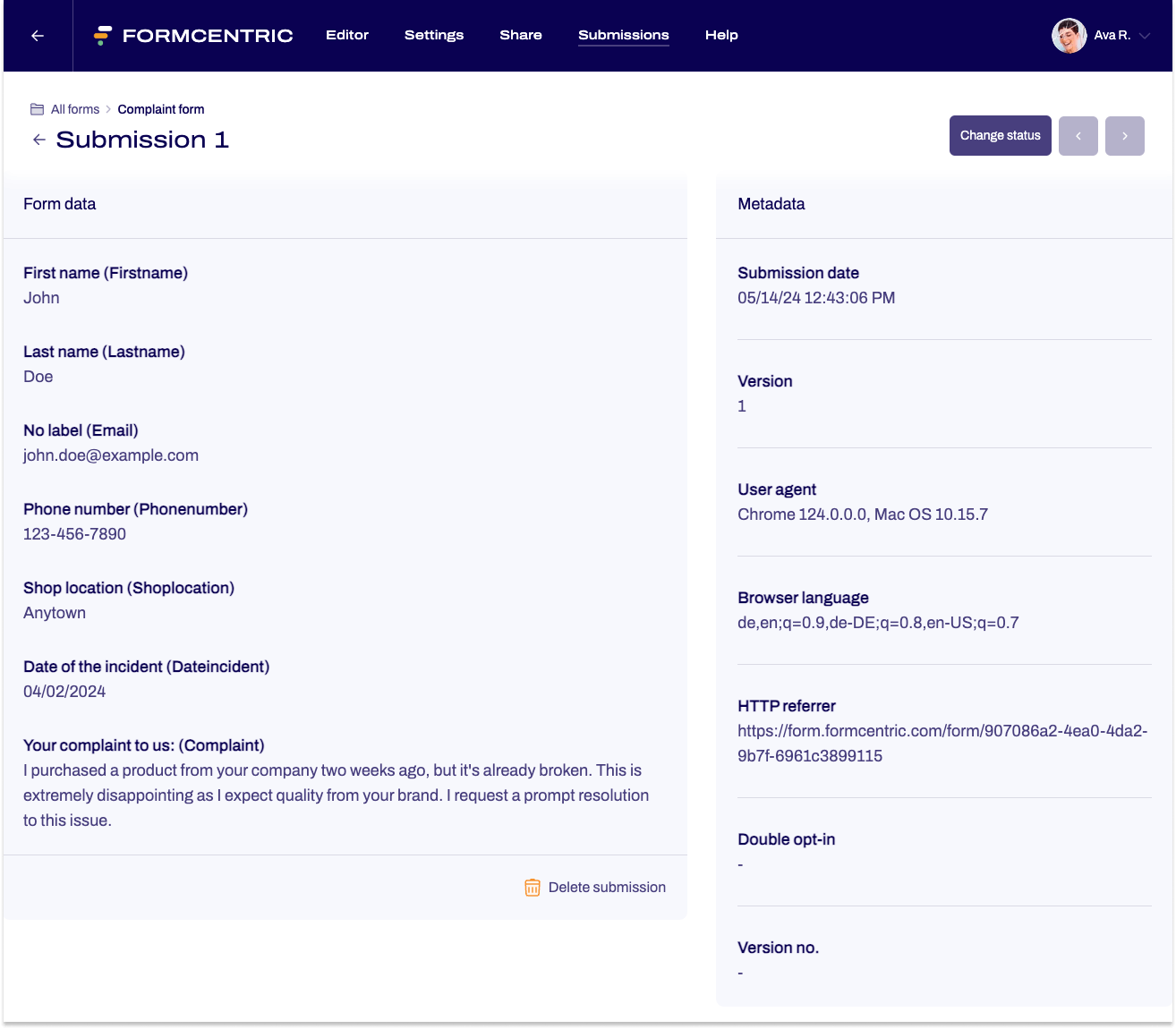
The submission will be displayed as a single view:
- Left side: Form data – the labels of the form elements along with the input provided.
- Right side: Metadata of the submission.
Would you like to delete a submission? Then click on Delete submission below the form data.
You can manage the status of the submission using the Change status button above the metadata. Use the arrow keys next to it to navigate through individual submissions.
Would you like to delete a submission? Click on Delete submission below the form data.
Downloading attachments directly
If the submission contains file attachments, you can download them directly from the submission:
- Click on the link to download the file.


